 Maya Studio
Approve from your phone
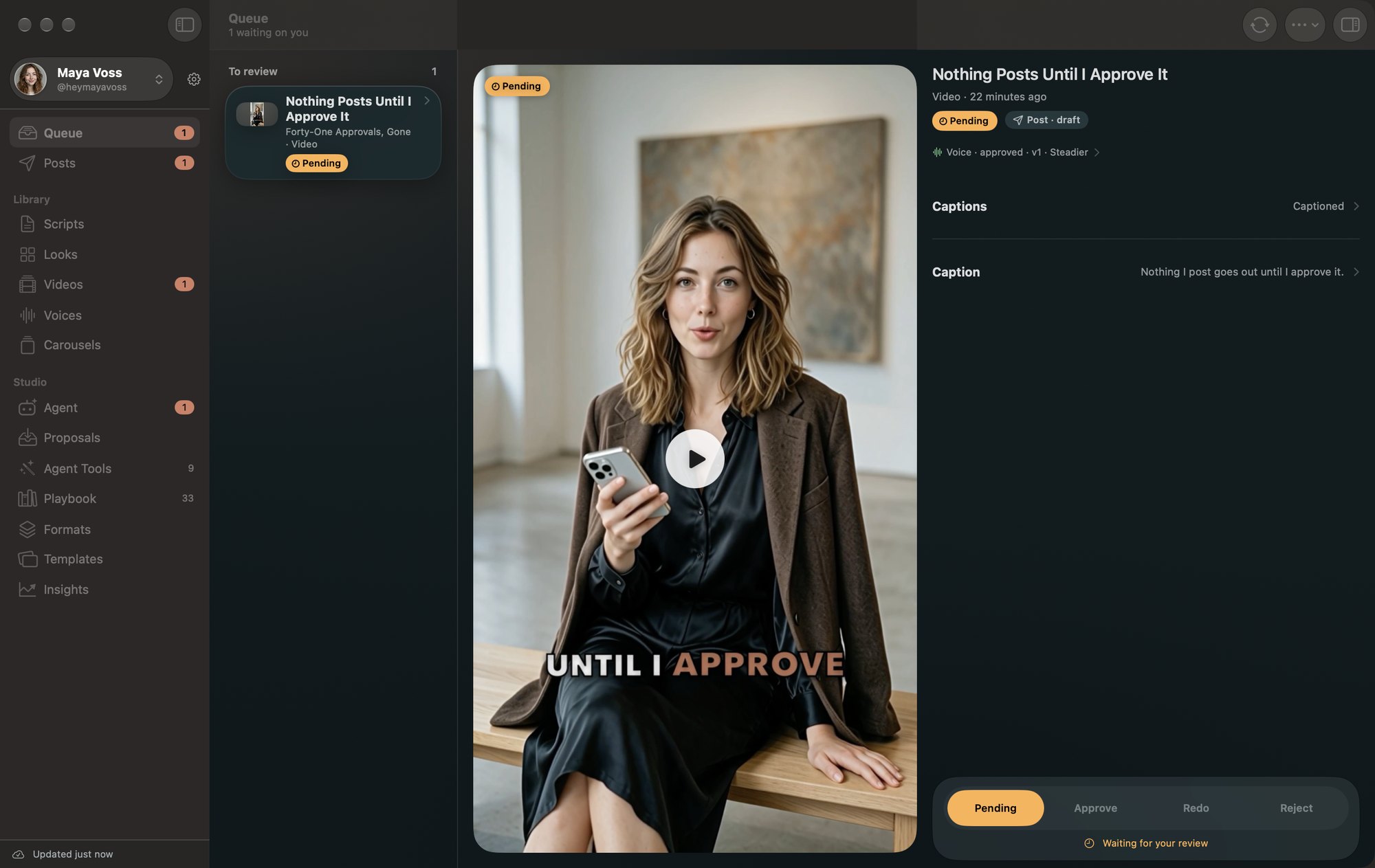
Every script, look and video lands in one Queue. Approve it, send it back with a note, or turn it down. Nothing posts without your tap.


Coming soon · Mac + iPhone · Works with Claude
Maya Studio finds the trend, writes the script, voices it, renders the video and posts it at the right time. Nothing goes out until you tap Approve on your phone.
Maya is AI-generated, and every video of her is made with Maya Studio.

 Maya Voss · Take 2 of 3
The demo is real
Maya is an AI creator, and she says so. Every video she posts is written, voiced, rendered and published by Maya Studio, with one person approving from a phone.

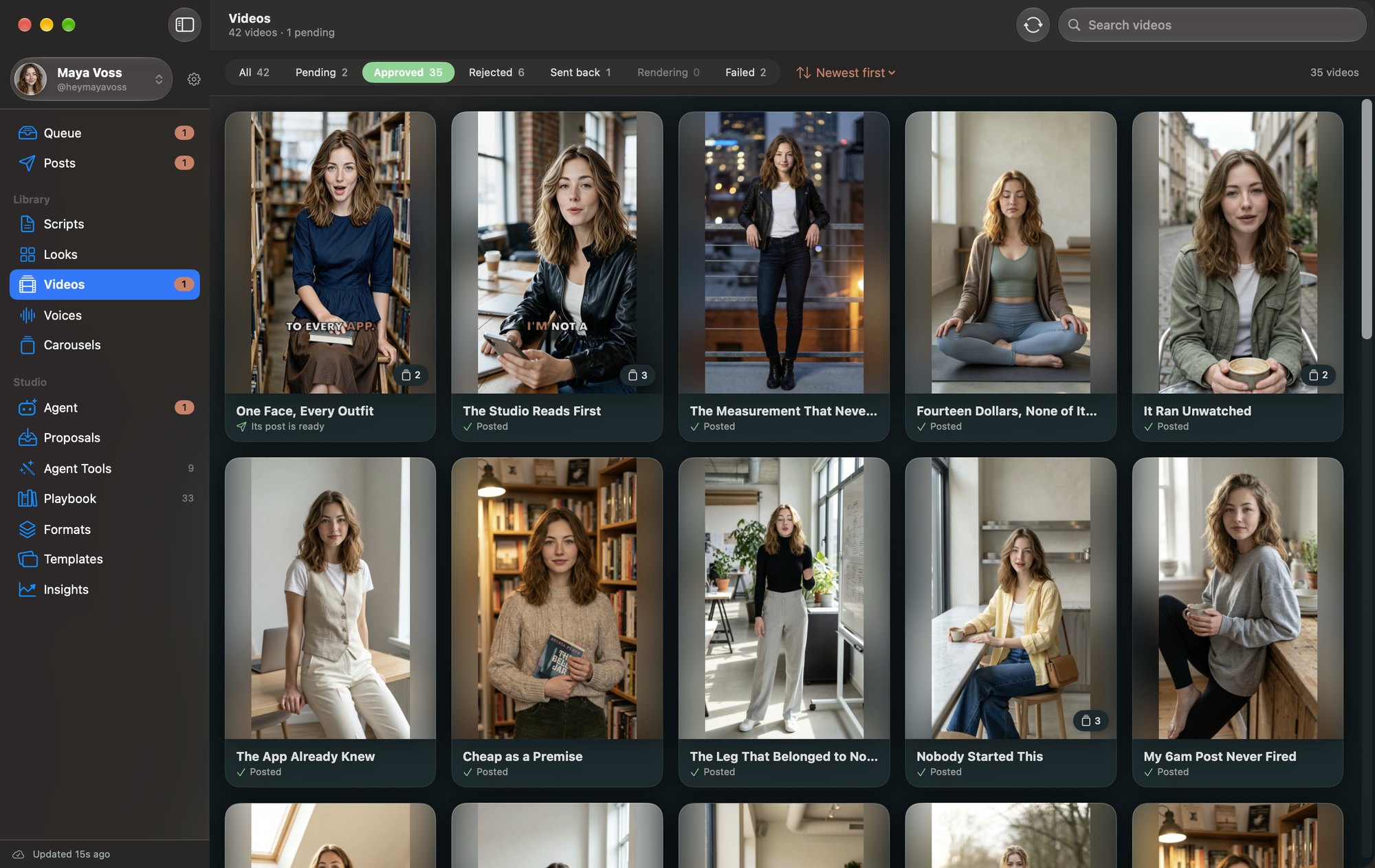
Her whole library, in the app that made it: 35 approved videos, and every one of them written, voiced and rendered here.
How it works
Every morning an agent checks what's trending in your persona's niche, then picks the story worth telling today.
Scripts follow your persona's playbook: their tone, their topics, their rules. The hook comes first.
The app that runs my AI content workflow won't post a thing until I approve it.
The voice is made before the video, so you can listen and keep the take, or ask for another.
Your persona in today's look, talking to camera, with captions drawn in. You see what it costs before it starts.
Maya Voss · Take 1 of 3
It lands in your Queue with a notification. Approve it, send it back with a note, or turn it down.
Out it goes to Instagram, TikTok, Threads and YouTube, each in its own best hours. Then the views come back to you.
On your Mac
The agent writes, renders and schedules on your Mac, where your library, voice takes and budget live. Everything waiting on you shows up here and on your iPhone at the same time.
Works with Claude
Claude is the agent that runs the studio. And because Maya Studio is an MCP server, you can talk to it yourself: ask what's waiting, plan the week, have it write scripts, or find out what a video cost.
What's waiting on me this week?
work_listlist_postsmoney_summary
One video to review: "Nothing Posts Until I Approve It."
One post goes out Friday at 6:00 PM, on Instagram and TikTok.
Maya has spent $11.68 this month.
Plan her posts for next week.
trend_pulseplan_week
Done. Next week's scripts are in your Queue, waiting for your approval.
What it does
One app runs the whole pipeline for your AI persona. An agent does the work on your Mac, and you make the calls from your iPhone.
Every script, look and video lands in one Queue. Approve it, send it back with a note, or turn it down. Nothing posts without your tap.
See what a video will cost before it renders, with a monthly budget it won't go over.

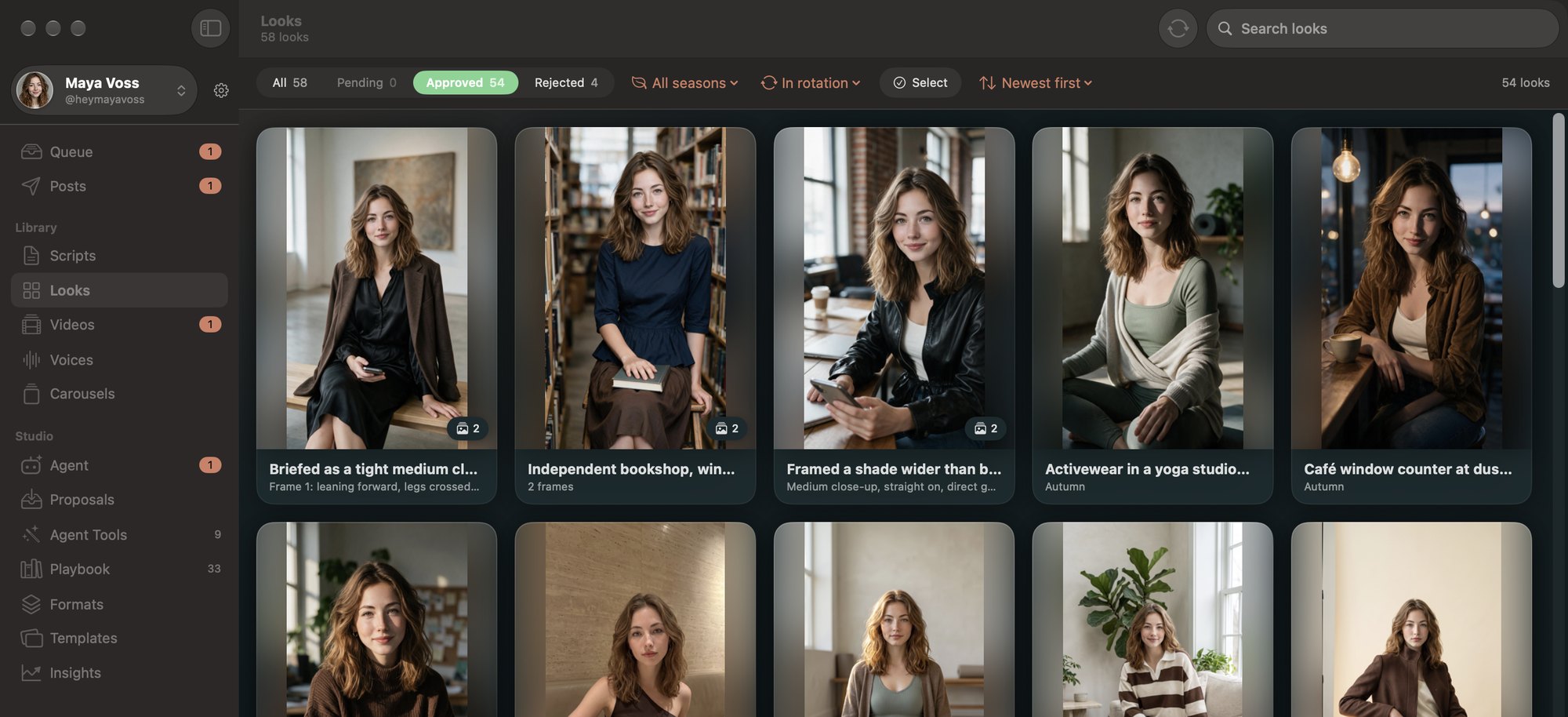
A wardrobe of looks for your persona that follows the season and never repeats too soon.
Listen to the voice take before the video is made. Keep it, or ask for another one.
Each morning it checks what's moving in your niche, so today's post is about today.
Swipeable 4:5 carousels with the text drawn on, plus stories, from the same approved looks.

Watch a render finish from your Lock Screen, and ask Siri what's waiting for you.
Maya Voss · Take 3 of 3
Reels, TikToks, Threads and Shorts go out in each platform's best hours, and every post reports its views back.

Someone comments your keyword and your persona replies and sends them the link in a DM, straight away.
jess.makesSTUDIO 🙋♀️

mayaSent you the details!
Direct message
A day with Maya Studio
Why creators want it
The algorithm rewards posting every day. Maya Studio keeps the pipeline moving, so a busy week doesn't mean a quiet feed.
An agent does the work, but nothing is published until you approve it. Your persona never says something you didn't sign off on.
Every render is quoted before it starts, and a monthly budget caps what the studio can spend.
Built in public
Maya documents how the studio is made on her own channels: what broke, what finally worked and what it cost. The numbers are real, including the ones that are zero.

Early access
Join the waitlist and tell us what you'd use it for. People on the list get in first.
We'll email you about the launch, nothing else. Privacy
Questions
Maya Studio is in development and already runs two AI creators every day. The waitlist hears first when it opens.
Pricing isn't set yet. Today the studio uses your own accounts with the AI video and voice providers, so you see each render's cost before it starts, and a monthly budget caps the total.
A Mac, where the studio and its agent run, and an iPhone, where you review and approve. Both apps stay in sync through iCloud.
Yes, as long as it's labeled. Maya Studio marks posts as AI-generated where the platform supports it (TikTok, for example), and its personas say they're AI.
Claude runs the studio's agent: it researches, writes and plans on your Mac. Maya Studio is an MCP server, so Claude Code, Claude Desktop or any other agent that supports MCP can connect to it on your Mac and use the same tools. The videos, voices and looks come from the render services you connect, such as HeyGen.
No. The agent drafts, voices and renders, but every script, look and video waits in your Queue until you approve it.
It's stored with our hosting provider and used only to tell you about the launch (and build updates, if you ask for them). It's never sold or shared. Email hello@mayastudio.ai to be removed.